How to Delete Your Account
Step 1
On the home screen, click the top left circle where it says your profile name.

Step 2
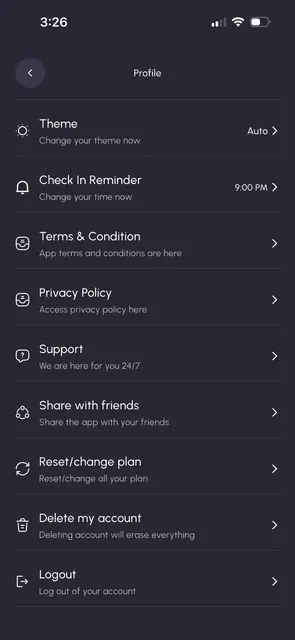
Scroll down on the setting menu until you see the Delete Account option at the bottom and click on that.
On the home screen, click the top left circle where it says your profile name.
Scroll down on the setting menu until you see the Delete Account option at the bottom and click on that.